
A messy Chart of Accounts is the root cause of a lot of small business bookkeeping headaches — inconsistent account names, no logical numbering, expenses scattered across duplicate categories. None of it shows up as a problem until you try to pull a clean financial statement and can’t.
This chart of accounts template gives you a standard, numbered structure to start from — the same numbering convention accountants and most accounting software expect — so your books stay organized from day one.
What Is a Chart of Accounts?
A Chart of Accounts (COA) is the complete list of every account your business uses to categorize financial transactions — every asset, liability, equity account, revenue stream, and expense category. It’s the backbone your entire general ledger is built on.
A well-structured COA groups accounts by type using consistent number ranges, making it easy to see at a glance what category any transaction belongs to and to generate accurate financial statements without manual reclassification.
Standard Chart of Accounts Numbering
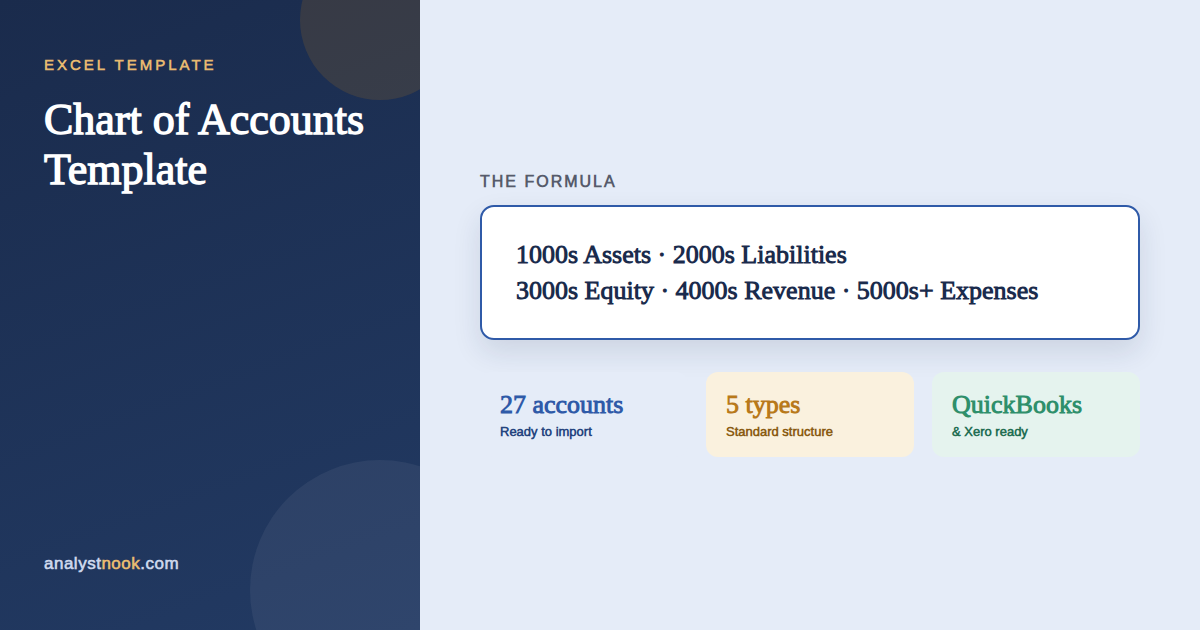
Most small businesses follow the same broad numbering convention: 1000s for Assets, 2000s for Liabilities, 3000s for Equity, 4000s for Revenue, and 5000s and above for Cost of Goods Sold and Expenses.
How to Set Up Your Chart of Accounts
- Start from the standard numbering ranges — Assets, Liabilities, Equity, Revenue, and Expenses.
- Review the pre-filled account list and remove any accounts that don’t apply to your business.
- Add any accounts specific to your business, keeping the number within the appropriate range.
- Keep naming consistent — avoid near-duplicate accounts like “Office Supplies” and “Supplies — Office.”
- Import the finished list into QuickBooks, Xero, or your accounting system of choice.
A Worked Example
A small service business might use account 1000 (Cash — Operating), 1200 (Accounts Receivable), 2000 (Accounts Payable), 4000 (Sales Revenue), and 6100 (Rent Expense) — each number instantly signaling its category without needing to open the account.
When you later add a new revenue stream, giving it account 4200 (instead of renaming or repurposing an existing account) keeps historical reporting clean and comparable across periods.
Common Mistakes to Avoid
A Chart of Accounts is easy to set up and easy to make messy over time. Watch for these:
- Creating too many accounts too soon. Start lean — you can always add accounts later, but consolidating an overgrown COA is a real project.
- Inconsistent numbering. Skipping the standard ranges makes your books harder for any accountant or bookkeeper to jump into.
- Duplicate or near-duplicate accounts. These fragment your reporting and make trend analysis unreliable.
- Renumbering existing accounts. Changing an account number mid-year can break historical comparisons — add new accounts instead of renumbering old ones.
- Not reviewing it periodically. As the business changes, unused accounts should be retired and new ones added — review the COA at least annually.
How to Use the Excel Template
- Review the pre-filled Chart of Accounts tab, organized by account type and standard numbering range.
- Edit, add, or remove rows (yellow cells) to match your business.
- Export or manually enter the finished list into your accounting software.
Download the Free Chart of Accounts Template
Download the free Chart of Accounts Template below — no email signup required.
Want new templates emailed to you?
No spam. Unsubscribe anytime. Downloads never require this.
Need this template customized to your business — a different setup, extra categories, or your own formulas built in? Email me at sharafudin1999@gmail.com or drop a comment below and I’ll help you tweak it.
A clean Chart of Accounts makes every other financial statement easier to build — see it in action in our Profit and Loss Statement Template and Balance Sheet Template, or read Bookkeeper vs. Accountant vs. CFO if you’re deciding who should own it.
For more on structuring your numbering system, see Corporate Finance Institute‘s overview of the chart of accounts, the same structure this chart of accounts template follows.
Frequently Asked Questions
Do I need an accountant to set up a chart of accounts?
Not necessarily for a straightforward small business — a template like this one covers most common needs. If your business has complex revenue recognition, multiple entities, or industry-specific reporting requirements, a one-time review with an accountant is worth the cost.
How many accounts should a small business chart of accounts have?
Most small businesses do fine with 25–50 accounts. More than that usually means accounts are too granular to be useful day to day; fewer can hide meaningful detail in your reporting.
Can I import this template into QuickBooks or Xero?
Yes — both platforms support importing a chart of accounts list. Check your specific software’s import format requirements, as column headers and required fields can vary by platform and version.
What’s the difference between a Chart of Accounts and a general ledger?
The Chart of Accounts is the list of categories available; the general ledger is the actual record of every transaction posted to those categories. The COA is the structure; the ledger is the data.
Should expense accounts be numbered 5000s or 6000s?
Either convention works as long as you’re consistent — some businesses reserve the 5000s specifically for Cost of Goods Sold and start operating expenses at 6000, which is the convention this template follows.
