
Most small business owners don’t think about how long to keep business records until the moment they need something they can’t find — a lease from three years ago, an invoice a client is disputing, a receipt an auditor wants to see. By then it isn’t a filing problem anymore. It’s a business problem: a missed deduction, a stalled loan application, or a bad afternoon with the IRS. This guide breaks down exactly how long to keep business records for every category, so you never have to guess.
Financial document management is really just a system with three answers built in: what do I keep, for how long, and where does it actually live. Get those three right and the rest — audits, tax season, due diligence for a loan — stops being stressful and starts being a five-minute lookup.
Why Financial Document Management Isn’t Just “Filing”
“Enterprise content management” usually gets described in big-company terms: repositories, approval workflows, compliance systems with their own dedicated software budget. None of that is what a small business actually needs. What you need is fewer, cheaper failure modes — not losing a tax deduction because the receipt disappeared, not stalling a cash flow forecast because a bank statement is missing, and not having a weak answer when a lender or an auditor asks to see something specific.
The goal isn’t an impressive system. It’s a boring one that never lets money slip through the cracks because a document wasn’t where it should have been.
The Documents Every Small Business Should Keep
Nearly everything a small business generates falls into one of six categories. Knowing the category tells you most of what you need to know about how carefully to treat it.
Tax Records
Filed returns, supporting schedules, and anything that backs up a deduction — receipts, mileage logs, home office calculations. These are the documents an audit actually asks for, so they deserve the most conservative retention rules of anything you hold.
Income & Expense Records
Invoices you’ve sent, invoices you’ve received, and receipts for anything you’ve bought for the business. This is also the raw material behind your cash flow forecast — inflows and outflows are only as accurate as the records behind them.
Banking Records
Bank statements, credit card statements, and cancelled checks or payment confirmations. These reconcile against your books and back up nearly every other category on this list, since almost every transaction eventually clears through an account.
Payroll Records
Wages, hours, tax withholding, and I-9 forms if you have employees. Payroll has its own federal retention rules that are stricter than general recordkeeping, and getting them wrong carries its own penalties separate from a tax issue.
Legal & Corporate Records
Articles of incorporation, your EIN letter, operating agreements, contracts, leases, and insurance policies. These aren’t tied to a tax year at all — they’re tied to the life of the business or the life of the agreement, which is why several of them are permanent.
Asset & Debt Records
Depreciation schedules, fixed asset records, and loan or financing agreements. These need to survive as long as the asset or the loan does, plus a few years after, since they’re what lets you calculate a gain or loss when something is finally sold or paid off.
How Long to Keep Business Records, By Type
The short version, if you’re wondering how long to keep business records: the IRS’s official recordkeeping guidance generally allows a 3-year lookback, but that extends to 6 years if income was substantially underreported, which is why most accountants recommend a 7-year rule of thumb for anything tax-related. A handful of categories — filed returns, formation documents, annual financial statements, IRS correspondence — are worth keeping permanently, since they’re either foundational to the business or cheap to store and expensive to reconstruct.
This is a general guideline, not legal or tax advice — retention rules shift by state and by situation, so confirm anything time-sensitive with your accountant. The free download below has the full one-page schedule, category by category, with the reasoning behind each one so you’re not just taking a number on faith.
A Simple System for Organizing Them
Good financial document management doesn’t require new software. A folder structure and a habit will get you most of the way there.
Go digital first. Most banks already give you digital statements, and a phone camera turns a paper receipt into a searchable file in seconds — there’s rarely a reason to keep the physical copy once it’s scanned, aside from the handful of legal documents that genuinely benefit from an original.
Use one folder per year, with the same subfolders inside every year — Tax, Income, Expenses, Banking, Payroll, Legal, Assets. The categories don’t change; only the year does, which makes anything from the past instantly findable by category and date at the same time.
Name files consistently. Something like 2026-03-15_vendorname_invoice.pdf sorts itself chronologically and tells you what it is without opening it — far more useful five years from now than scan001.pdf.
Back it up in two places. Cloud storage plus one more — a second cloud account, an external drive, whatever’s easy — so a single deleted file or a single service outage never becomes a real loss.
Set a monthly habit instead of a yearly scramble. Fifteen minutes at the end of each month to file what came in beats a frantic week every April trying to reconstruct a year you don’t remember.
What’s Inside the Free Checklist
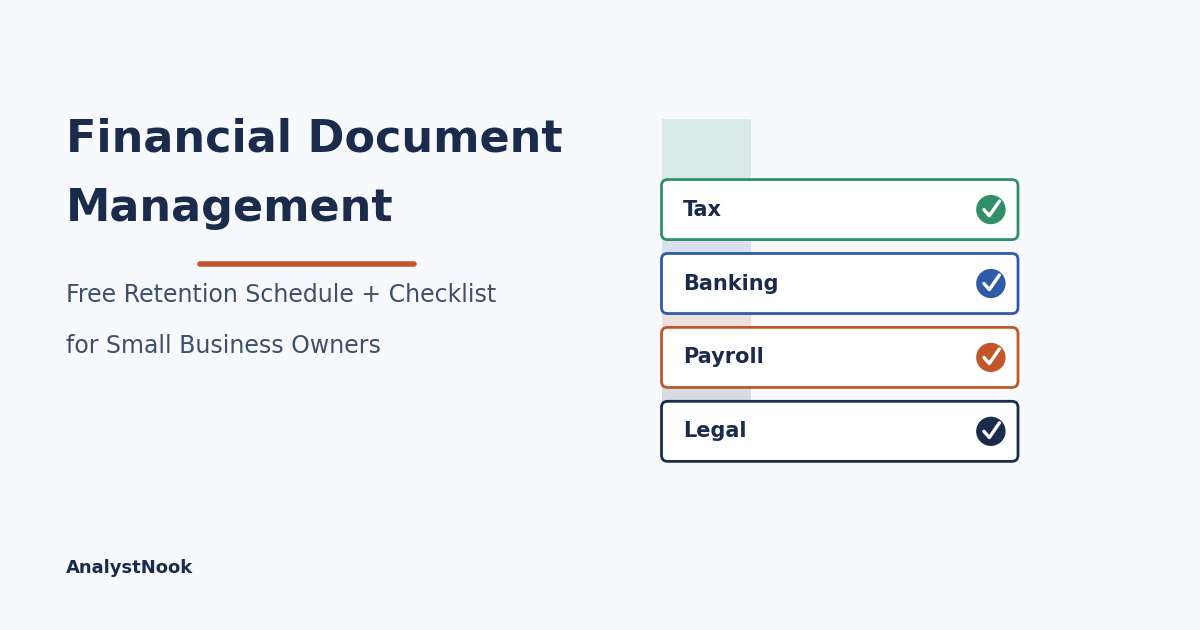
The download below has two tabs. The Retention Schedule tab is a straight reference table — eighteen document types, how long to keep each one, and the reasoning behind it, so you can look something up in ten seconds instead of re-researching it every time. The Checklist tab is the same eighteen document types organized by category with a “Gathered?” dropdown next to each one — mark “Yes” as you track them down, and a progress summary at the top updates automatically so you can see how close you are to fully organized.
How to Use It
Pick a weekend, or a slow afternoon. Go through the Checklist tab one category at a time rather than trying to do everything at once — Banking first, then Tax, then whichever feels most overdue. For each item, use the Retention Schedule tab to decide whether it’s something to keep going forward, and if you’re staring at a drawer of old paper, it’s also your guide to what’s safe to shred and what to hold onto for good.
Frequently Asked Questions
Do I need to keep paper copies if I already have digital scans?
For almost everything, no — the IRS accepts digital records as long as they’re a complete and accurate copy of the original and you can produce them if asked. A short list of documents (original signed contracts, stock certificates, and a few legal records) are worth keeping physically as well, but receipts, invoices, and statements are fine as scans alone — the rules for how long to keep business records apply the same way whether the copy is paper or digital.
What happens if I get audited and I’m missing a document?
An auditor will generally accept reasonable secondary evidence — a bank or credit card statement showing the transaction, a vendor’s own copy of an invoice, or a written reconstruction with your reasoning — but it’s a weaker position than having the original, and it takes real time to assemble under pressure. This is the whole case for organizing before you need to, not after — and for knowing how long to keep business records before an audit forces the question.
How long should I actually keep bank statements?
Seven years is the standard recommendation on how long to keep business records like these, matching the outer edge of the IRS’s audit window for underreported income. Some business owners keep them permanently since digital storage is essentially free, but seven years covers the situations that are actually likely to come up.
Do these retention periods apply outside the United States?
The specific years cited here follow U.S. federal guidance, so if you’re outside the U.S., use the categories and the organizing system, but check your own country’s tax authority for the actual retention windows — they’re often similar in spirit but different in the specific number of years.
What’s the fastest way to catch up if I’m years behind on organizing?
Start with the current year and work backward, rather than trying to perfect the oldest, messiest year first. Recent records are fresher in your memory and easier to reconstruct if something’s missing, and getting the current year clean means you stop falling further behind while you work through the backlog — a practical shortcut when you’re not yet sure how long to keep business records for every category.
How long do I need to keep business tax records specifically?
Tax records get asked about more than any other category when people ask how long to keep business records, and the answer is the same 3-6-7 framework: 3 years covers most situations, 6 years if you underreported income by more than 25%, and 7 years is the practical rule of thumb most accountants recommend so you don’t have to track which rule applies to which document. The one exception worth knowing: employment tax records specifically only need 4 years under IRS rules, though there’s no harm in keeping them the same 7 years as everything else for simplicity.
What if I need an old record I didn’t keep?
You’re not always out of luck. Banks typically hold 5–7 years of statement history and can usually produce older copies for a fee, credit card companies keep similar windows, and the IRS can provide free transcripts of your own past tax returns going back several years. Vendors and lenders will often reissue an invoice or a loan document on request too. None of this is as reliable as keeping your own copies in the first place, but a missing document from a few years back usually isn’t a dead end, especially once you have a clear system for how long to keep business records going forward.
Download the Free Financial Document Retention Checklist
Want new templates emailed to you?
No spam. Unsubscribe anytime. Downloads never require this.
Once your records are organized, the next step is usually turning them into something you actually look at — a cash flow forecast built from your real inflows and outflows, or a KPI dashboard that turns your organized numbers into the handful of metrics that actually predict trouble. And if you want to understand how all of these numbers eventually tie together into a full financial model, our financial modeling guide walks through building one from scratch.
Before scaling either of those up, it’s worth checking your unit economics too — organized records are only useful if the sales behind them are actually profitable. And once your records are clean, it’s worth knowing who should actually be looking at them — our bookkeeper vs. accountant vs. CFO guide covers which role you need and when.
